
12 min readCase studies
We Rebuilt Our Own Website Factory: The ForgeStack Pipeline, End to End
An AI-driven build pipeline that turns a brief into a live, static site in half a day — with the measured timings, the CI numbers, and the three bugs it shipped and then caught.
Most articles about automating your workflow with AI are descriptions of a tool. This one is an audit of a system we run on ourselves, with the commit history, the wall-clock timings and the bugs it shipped still attached.
The system is called ForgeStack. It turns a brief and a folder of raw content into a live, static website. Its first commit is dated 2026-05-11; since then it has accumulated 342 commits, 59 merged pull requests, 7 GitHub Actions workflows and 1,874 lines of instructions telling an AI agent how to build a site. Seven live sites have come out of it so far — including the one you are reading.
One thing to say up front, because it changes how you should read the rest: all seven of those sites are ours, or run by us. There is no paying client site among them yet — the first ones are in design with a customer now. This is a factory we built and then used on ourselves for four months before offering it to anyone else.
What it replaced
Before ForgeStack, every site we made was WordPress: the Astra theme, the Spectra plugin, Gutenberg blocks, and a design assembled by hand. A new site was 20 to 40 working hours, and a large share of that was not design at all — it was the effort of making a stack built on a database, PHP and a pile of plugins fast and secure enough to be worth putting our name on.
Now a site launches in half a day, with a pixel-accurate design, and the entry package on our Hungarian site starts at about €480. The comparison that matters is not the price, though. It is that the work went from 20–40 hours to under five, and most of those five hours are the machine running.
As ForgeStack matured we moved every one of our own sites onto it. The only thing still on WordPress is the webshops, where the application, not the content, is the point. Everything else — including a blog with categories, tags, archives, a CMS and a working contact form — turned out to be perfectly happy as static pages.
The pipeline, end to end
Five stages. Only stage 2 involves generation, and it runs exactly once in a site’s life.
  ┌────────────────────────────────────────────────────────────┐
  │ 1. INPUT    WEB.md  +  /webcontent/                        │
  │             ← npm run scrape <url>     (any CMS)           │
  │             ← npm run import-wp <url>  (WordPress REST API)│
  └──────────────────────────┬─────────────────────────────────┘
                             ▼
  ┌────────────────────────────────────────────────────────────┐
  │ 2. GENERATE  /prepare-web → /build-web      runs ONCE      │
  │              1,874 lines of skill instructions             │
  │              theme · JSON-LD · components · CMS schema     │
  └──────────────────────────┬─────────────────────────────────┘
                             ▼
  ┌────────────────────────────────────────────────────────────┐
  │ 3. GATE      npm test · astro check · search preflight     │
  │              AI code review on every pull request          │
  └──────────────────────────┬─────────────────────────────────┘
                             ▼
  ┌────────────────────────────────────────────────────────────┐
  │ 4. SHIP      Cloudflare Pages   ·   median 2 m 05 s        │
  └──────────────────────────┬─────────────────────────────────┘
                             ▼
  ┌────────────────────────────────────────────────────────────┐
  │ 5. LIVE      CMS edits  ·  template-sync pull requests     │
  │              → human review → merge → back to stage 3      │
  └────────────────────────────────────────────────────────────┘
The content importers matter more than they look. Measured on a real redesign, the generic scraper produced 100 pages — of which only 48 were content, the rest being archive pages the template generates itself — and 781 images, of which only 47 belonged to posts. It captured no categories or tags at all. The WordPress API path returned exactly the 44 posts with clean bodies, real taxonomy and canonical permalinks. Picking the right door saves a day of cleanup.
The worked example: this site
This site is the honest test, because we have the timestamps.
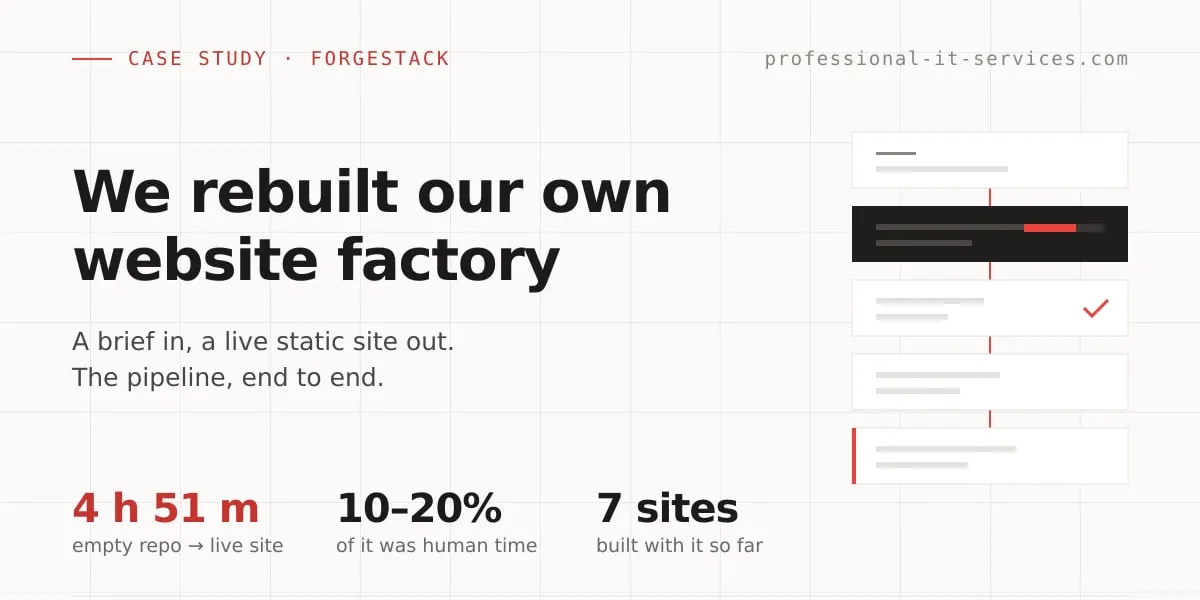
Empty repository at 10:28. The pull request carrying the complete site merged at 15:19 the same day — four hours and fifty-one minutes. In commit order, what happened in between: the WordPress import and the brief; root-level post URL routing so the old site’s addresses survived; the build itself from a design canvas; an accessibility pass that cleared every automated violation across all page types; the owned contact form; and a review round.
Human attention was roughly 10–20% of that. Call it under an hour of a person’s day. The coding and the design work were driven by Claude Code; a person set the direction, answered questions, and reviewed what came back. That ratio, not the five hours, is the number worth copying.
What it measures, today
Numbers taken from this repository and the live site, all reproducible:
astro build: 58 pages in 2.59 seconds (3.74 s wall, including startup). The output is 23 MB, 59 HTML files.npm test: 50 unit tests plus 8 check scripts, all green, 26.7 seconds locally.- CI across the 20 production deploys in this site’s life: 18 successes, 2 failures, wall clock 1 m 38 s to 2 m 21 s, median ≈ 2 m 05 s. The test workflow runs ≈ 2 m 26 s.
And Lighthouse, run today against the live site (12.8.2, headless Chrome, four runs):
| Page | Form factor | Performance | Accessibility | Best practices | SEO | LCP |
|---|---|---|---|---|---|---|
| Home | desktop | 100 | 100 | 100 | 100 | 0.6 s |
| A blog post | mobile | 100 | 100 | 100 | 100 | 1.4 s |
| Home | mobile, warm | 100 | — | — | — | 1.7 / 1.8 s |
| Home | mobile, cold | 86 | 100 | 100 | 100 | 3.6 s |
That last row is the one we nearly left out. We were about to claim “99–100” across the board, and it is not true. It is true on desktop, true for the blog post, and true for a warm home page. A cold first hit on mobile scored 86. Anyone can run the test themselves against a URL, so the only sensible thing to publish is the number we actually got.
The cold run also produced the best detail in this whole article. On that run, the only
render-blocking resource on the page was not ours: a 1,017-byte script,
email-decode.min.js, with an estimated ~494 ms of saving available. Cloudflare injects it
because the page shows our own email address, as part of its bot-protection features. Our own
critical path is one origin and 727 ms long — HTML, then two font files — because the CSS is
inlined at build time and the fonts are self-hosted rather than pulled from a font CDN.
We are keeping the Cloudflare script, and we would advise a client to keep it too. It is real protection against address-harvesting bots, and half a second is what that costs. If the half second matters more than the protection, the honest answer is not to turn the feature off — it is not to publish email addresses on the page in the first place.
The hard part is not building a site. It is updating seven of them.
Generated sites are “Use this template” copies with no shared history, so an improvement made in the template does not merge downstream on its own. By August the four oldest client repos had drifted onto three different template generations, and their shared layout file differed from the template by 184 to 297 lines in every single one.
The fix pulls rather than pushes. A workflow runs inside each generated site, checks out the template, compares, and opens a pull request against itself. A pushing design would have needed a registry of every site plus a write-capable token that could reach all of them; pulling needs neither, and because the workflow is itself a template-owned file, every new site gets it for free.
Two design details are worth stealing:
The manifest has five categories, not two. Files that are pure template code get overwritten (13 of them). Files where the template is the reference but a site may legitimately differ are reported and never written (24). Files that belong to the site are never touched (11), plus 4 blog-only and 20 documented manual steps. That middle category was not a design principle — it came out of a dry run. The first two-category version, run against the live sites, would have destroyed one site’s own post-handling code, every site’s scraper customisations and every site’s test configuration. On its first run.
The credentials are split in two, and the review is what caught why. The obvious design is one token that can read the template and write to the child. The pull request that shipped this (#94, merged 2026-08-17, +611/−2 across 8 files) was reviewed before merge, and the review pointed out that such a token is a privilege escalation: every child site can mint it, so anyone with write access to any generated site could obtain a token that writes workflow files on the template itself. It now mints two — a read-only token for the template, and a write token scoped to the child repository alone. Both checkouts also refuse to persist credentials to disk, because the very next step runs a script from the template checkout with access to the working tree.
Track record so far, across the five live sites: 28 automated pull requests — 19 merged, 4 closed, 5 open right now.
Three bugs it shipped, and caught
A pipeline that never produced a bug would mean we had not shipped anything with it.
The soft-404 catch-all. No 404 page existed, so Cloudflare Pages answered every unknown URL with the home page and HTTP 200. Not a redirect, not a soft-404 warning — the home page, at that address, reporting success. Google reads that as a live duplicate of your home page on a dozen URLs, and retired pages never drop out of the index. It also silently broke redirects: a 301 pointing at a tag archive whose posts had not survived a migration landed on that same 200 home page. The bug was present in six ForgeStack repositories at once. The fix was a single file.
The honeypot that ate real leads. The contact form had a hidden field that bots would fill in and humans would not. Browsers and password managers autofilled it, so genuine enquiries returned a success message and then vanished — nothing stored, nothing logged, no error anywhere. There is no honeypot now; a CAPTCHA challenge verified server-side is the bot gate, and a lead is written to the database before the notification email is attempted, so a mail failure can never lose it.
The structured-data leak. A shared array of schema objects was aliased instead of copied across pages, so each page’s structured data leaked onto every page rendered after it. Measured before the fix: our testimonials page, which contains no FAQ at all, shipped four FAQ blocks belonging to four other pages. The build was green and the page looked perfect; the only symptom was machine-readable data describing a different page.
And one that is broken as you read this. An automated sync pull request on this very site is red right now, with:
AssertionError: heavy image under MAX_EDGE must be re-encoded smallerA test script is in the “always overwrite” category and arrived updated for a new feature; the code it tests is in the “report only” category and did not. The manifest asks “is the subject present?” — never “is it current?” — so a test can be delivered ahead of the code it tests. The site’s own CI caught it before anything reached the live site, which is the gate working exactly as designed. It is also a real hole in the design, and it is the third time the same rule has been rediscovered the hard way.
Where we stop automating
This is not a victory lap, so here is the boundary.
Creating the repository and its secrets stays manual. Planning the design with the customer stays manual — a design conversation is the part of the work that is actually worth a person’s time. Automated update pull requests are read and merged by a human, every one.
More generally: everything that can be automated in ForgeStack is automated except the last step. Nothing goes live — not a new article, not a one-word change — without a person reviewing it first. We also tried to automate browser-level end-to-end tests and took it back out: every site is different, so the tests would need rewriting for each new site, and a test suite that is always slightly wrong is worse than none.
And we would not use ForgeStack at all for a genuine one-page HTML landing page. That is a file. It belongs on a CDN, not in a pipeline.
What this is actually an argument for
The template repository is private, and stays private. We sell the sites, not the machine.
The reason this article exists is narrower than “look at our tool”. We sell AI automation and infrastructure work, and the fair question a buyer should ask is whether we have ever done it to ourselves — with numbers attached, including the ones that went wrong. This is the answer: a system that took a repeated 20–40 hour job down to half a day, run for four months on our own sites before we offered it to anyone, with its failures published rather than filed.
If you want the same treatment applied to a pipeline of yours — the build, the tests, the deploy, the parts your team keeps doing by hand — that is what our fractional DevOps retainers are for. The related reading here is our piece on automating business workflows with GitHub Actions and AI language models, which covers the general pattern behind this specific factory.
Or just book a 30-minute call and bring your worst repetitive process.